Window Menu:-
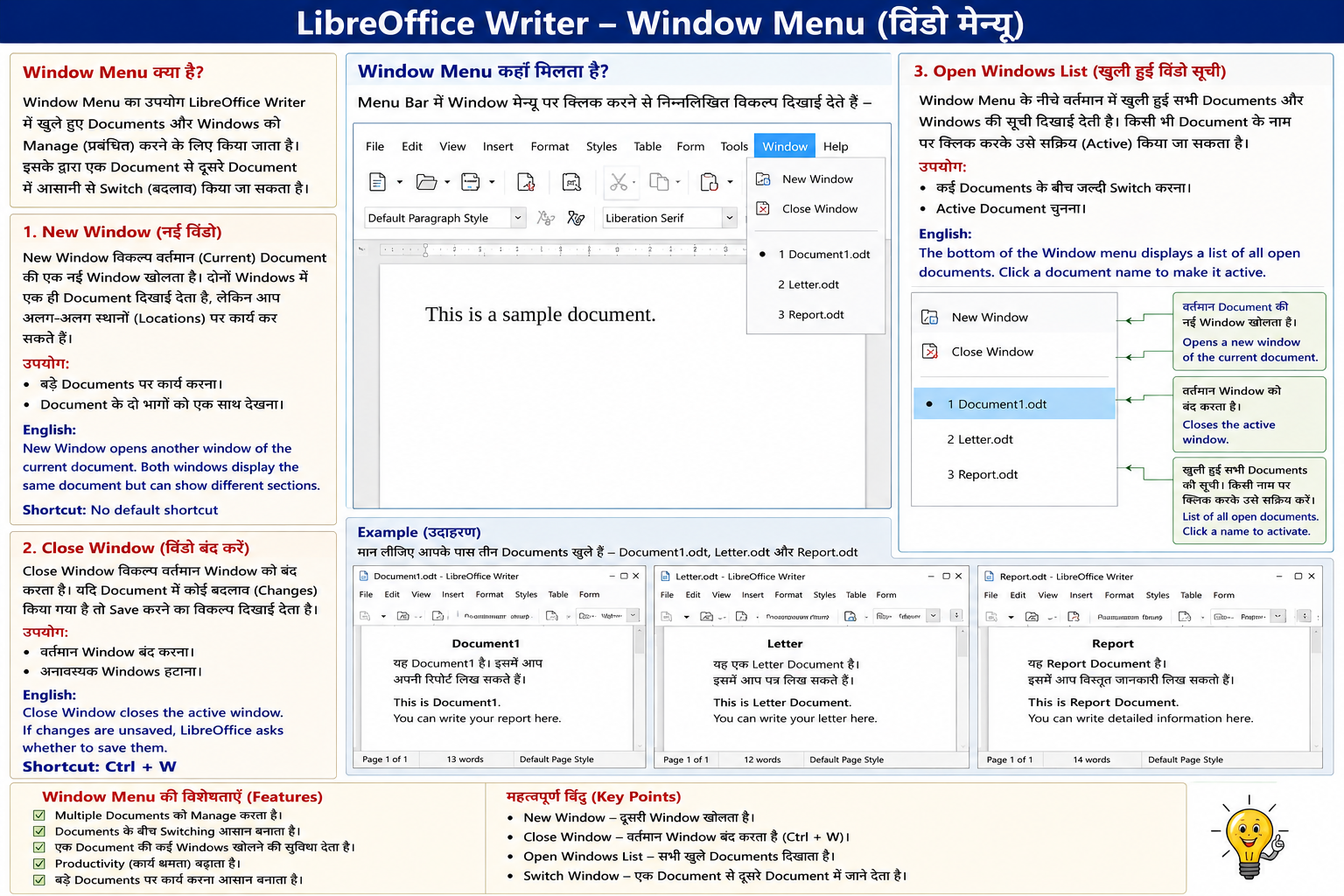
Window Menu का उपयोग LibreOffice Writer में खुले हुए Documents और Windows को Manage (प्रबंधित) करने के लिए किया जाता है। इसके द्वारा एक Document से दूसरे Document में आसानी से Switch (बदलाव) किया जा सकता है।
1. New Window (नई विंडो)
New Window विकल्प वर्तमान (Current) Document की एक नई Window खोलता है। दोनों Windows में एक ही Document दिखाई देता है, लेकिन आप अलग-अलग स्थानों (Locations) पर कार्य कर सकते हैं।
उपयोग:
- बड़े Documents पर कार्य करना।
- Document के दो भागों को एक साथ देखना।
English:
New Window opens another window of the current document. Both windows display the same document but can show different sections.
Shortcut: No default shortcut
2. Close Window (विंडो बंद करें)
Close Window विकल्प वर्तमान Window को बंद करता है। यदि Document में कोई बदलाव (Changes) किया गया है तो Save करने का विकल्प दिखाई देता है।
उपयोग:
- वर्तमान Window बंद करना।
- अनावश्यक Windows हटाना।
English:
Close Window closes the active window. If changes are unsaved, LibreOffice asks whether to save them.
3. Open Windows List (खुली हुई विंडो सूची)
Window Menu के नीचे वर्तमान में खुली हुई सभी Documents और Windows की सूची दिखाई देती है। किसी भी Document के नाम पर क्लिक करके उसे सक्रिय (Active) किया जा सकता है।
उपयोग:
- कई Documents के बीच जल्दी Switch करना।
- Active Document चुनना।
English:
The bottom of the Window menu displays a list of all open documents. Click a document name to make it