Menu Bar (मेन्यू बार)
हिंदी में
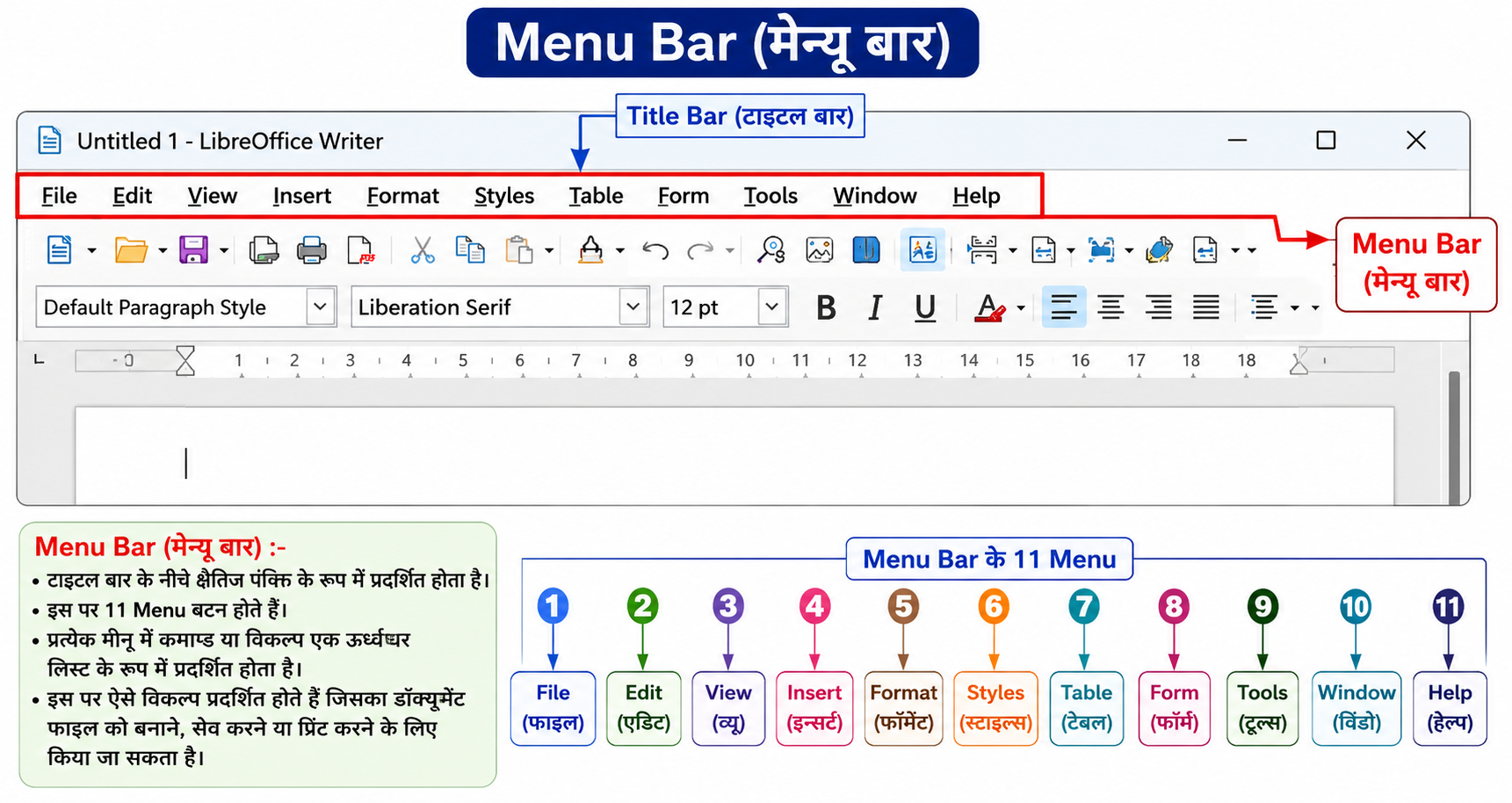
मेन्यू बार (Menu Bar) टाइटल बार (Title Bar) के नीचे क्षैतिज पंक्ति (Horizontal Line) के रूप में प्रदर्शित होती है।
इसमें विभिन्न प्रकार के Menu Buttons होते हैं। LibreOffice Writer में सामान्यतः 11 Menu होते हैं।
प्रत्येक Menu में Commands (कमांड) या Options (विकल्प) एक ऊर्ध्वाधर सूची (Vertical List) के रूप में दिखाई देते हैं।
इन विकल्पों का उपयोग डॉक्यूमेंट फाइल (Document File) को बनाने, संपादित (Edit) करने, सेव (Save) करने, प्रिंट (Print) करने तथा अन्य कार्यों के लिए किया जाता है।
Menu Bar के मुख्य Menu
In English
Menu Bar:-
The Menu Bar is displayed as a horizontal line below the Title Bar.
It contains different menu buttons. In LibreOffice Writer, there are generally 11 menus.
Each menu displays commands or options in the form of a vertical list.
These options are used to create, edit, save, print, and manage document files.
Menu Bar के मुख्य Menu
-
File
-
Edit
-
View
-
Insert
-
Format
-
Styles
-
Table
-
Form
-
Tools
-
Window
-
Help