Title Bar (टाइटल बार):-
हिंदी में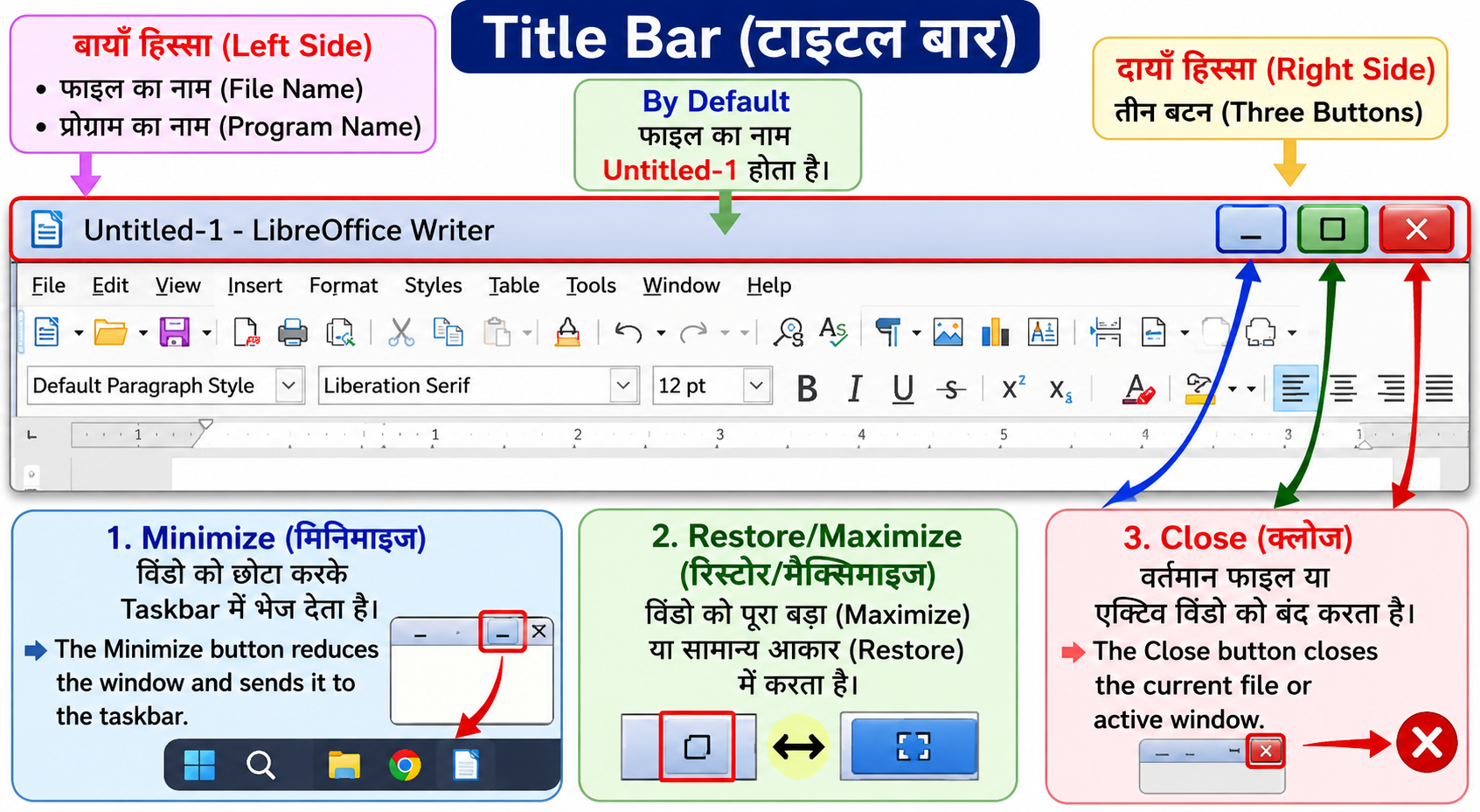
टाइटल बार (Title Bar) LibreOffice Writer विंडो की सबसे ऊपर वाली क्षैतिज पंक्ति (Horizontal Line) होती है।
यह बार डॉक्यूमेंट (Document) और प्रोग्राम (Program) की जानकारी दिखाती है।
Title Bar में क्या दिखाई देता है?
-
बायें (Left Side) में
-
डॉक्यूमेंट का नाम (Document Name)
-
प्रोग्राम का नाम (LibreOffice Writer)
-
-
जब नई फाइल बनाई जाती है, तब By Default उसका नाम Untitled-1 होता है।
-
दायें (Right Side) में तीन Control Buttons होती हैं:
-
Minimize
-
Restore/Maximize
-
Close
-
Minimize :- मिनिमाइज बटन विंडो को छोटा करके Taskbar में भेज देता है।
The Minimize button reduces the window and sends it to the taskbar.
Restore/Maximize :- यह बटन विंडो को पूरा बड़ा (Maximize) या सामान्य आकार (Restore) में करता है।
This button makes the window full screen (Maximize) or returns it to normal size (Restore).
Close :- क्लोज बटन वर्तमान फाइल या एक्टिव विंडो को बंद करता है।
The Close button closes the current file or active window.
In English
Title Bar:-
The Title Bar is the topmost horizontal line of the LibreOffice Writer window.
It displays the name of the document and the program.
What is shown in the Title Bar?
-
On the Left Side:
-
Document Name
-
Program Name (LibreOffice Writer)
-
-
By default, a new file name appears as Untitled-1.
-
On the Right Side, three control buttons are displayed:
-
Minimize
-
Restore/Maximize
-
Close
-
Minimize :-
The Minimize button reduces the window and sends it to the taskbar.
Restore/Maximize :-
This button makes the window full screen (Maximize) or returns it to normal size (Restore).
Close :-
The Close button closes the current file or active window.