Spreadsheet Basics:-
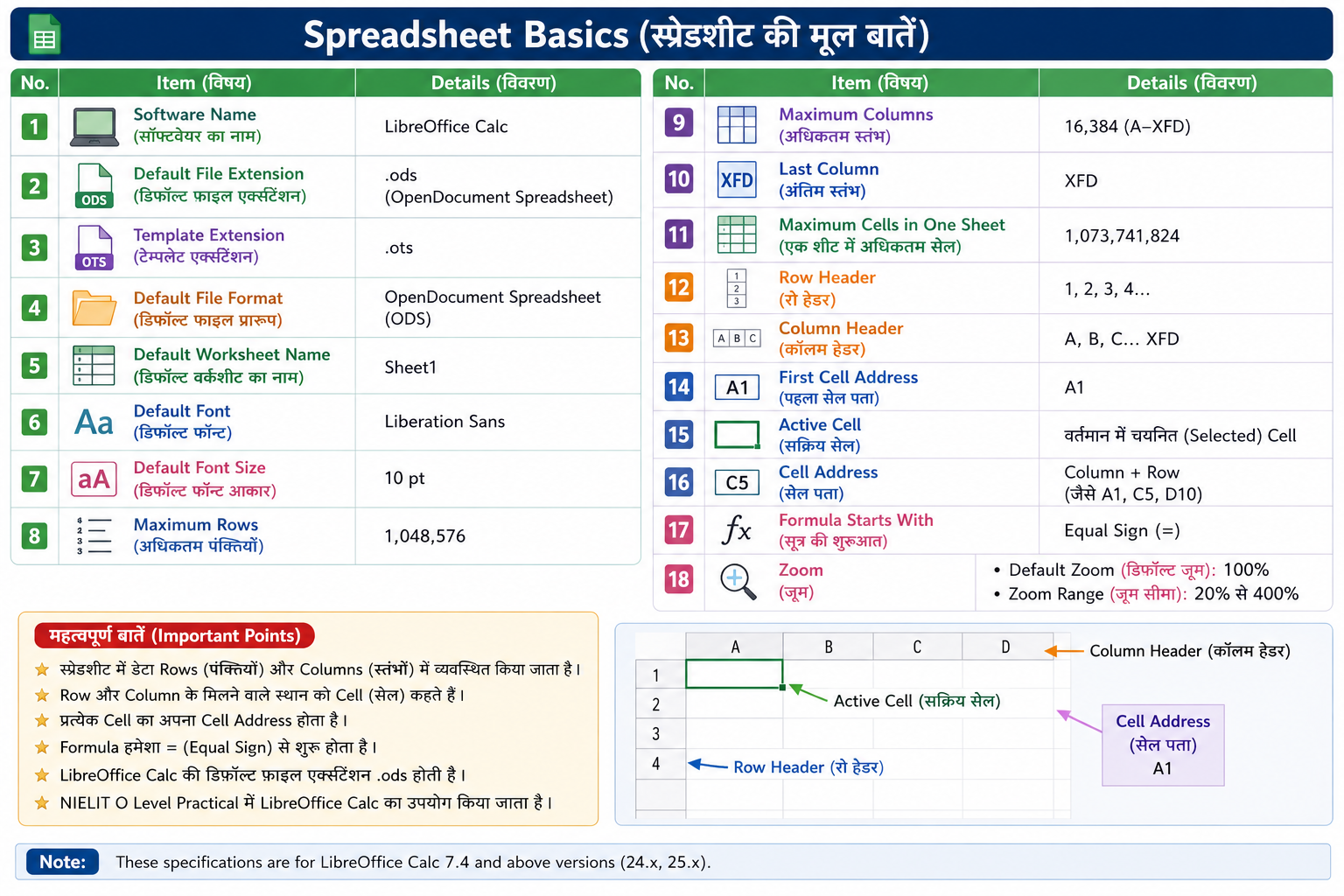
- Software Name (सॉफ्टवेयर का नाम): LibreOffice Calc
- Default File Extension (डिफ़ॉल्ट फ़ाइल एक्सटेंशन): .ods (OpenDocument Spreadsheet)
- Template Extension (टेम्पलेट एक्सटेंशन): .ots
- Default File Format (डिफ़ॉल्ट फ़ाइल प्रारूप): OpenDocument Spreadsheet (ODS)
- Default Worksheet Name (डिफ़ॉल्ट वर्कशीट का नाम): Sheet1
- Default Font (डिफ़ॉल्ट फ़ॉन्ट): Liberation Sans
- Default Font Size (डिफ़ॉल्ट फ़ॉन्ट आकार): 10 pt
- Maximum Rows (अधिकतम पंक्तियाँ): 1,048,576
- Maximum Columns (अधिकतम स्तंभ): 16,384 (A–XFD)
- Last Column (अंतिम स्तंभ): XFD
- Maximum Cells in One Sheet (एक शीट में अधिकतम सेल): 1,073,741,824
- Row Header (रो हेडर): 1, 2, 3, 4...
- Column Header (कॉलम हेडर): A, B, C... XFD
- First Cell Address (पहला सेल पता): A1
- Active Cell (सक्रिय सेल): वर्तमान में चयनित (Selected) Cell
- Cell Address (सेल पता): Column + Row (जैसे A1, C5, D10)
- Formula Starts With (सूत्र की शुरुआत): Equal Sign (=)
- Default Zoom (डिफ़ॉल्ट ज़ूम): 100%
- Zoom Range (ज़ूम सीमा): 20% से 400%
- LibreOffice Calc में कुल कितने मुख्य Menu होते हैं: 11 Menu