Database Functions(DSUM, DMIN, DMAX, DCOUNT, DCOUNTA)
Database Functions (डेटाबेस फंक्शन) :-
ये Functions तब उपयोग किए जाते हैं जब डेटा Table/Database के रूप में हो और किसी Condition (शर्त) के आधार पर परिणाम निकालना हो।
English: These functions are used when data is stored in a table/database and the result is required based on a condition (criteria).
Common Syntax (सामान्य सिंटैक्स):-
=FUNCTION(Database, Field, Criteria)
Parameters (पैरामीटर) :-
-
Database → पूरी Table का Range
-
Field → जिस Column पर कार्य करना है उसका नाम या क्रम संख्या
-
Criteria → शर्त (Condition) वाला Range
A B C
1 Name Department Salary
2 Ram Sales 20000
3 Shyam HR 25000
4 Mohan Sales 30000
Criteria Range (शर्त क्षेत्र) :-
E
1 Department
2 Sales
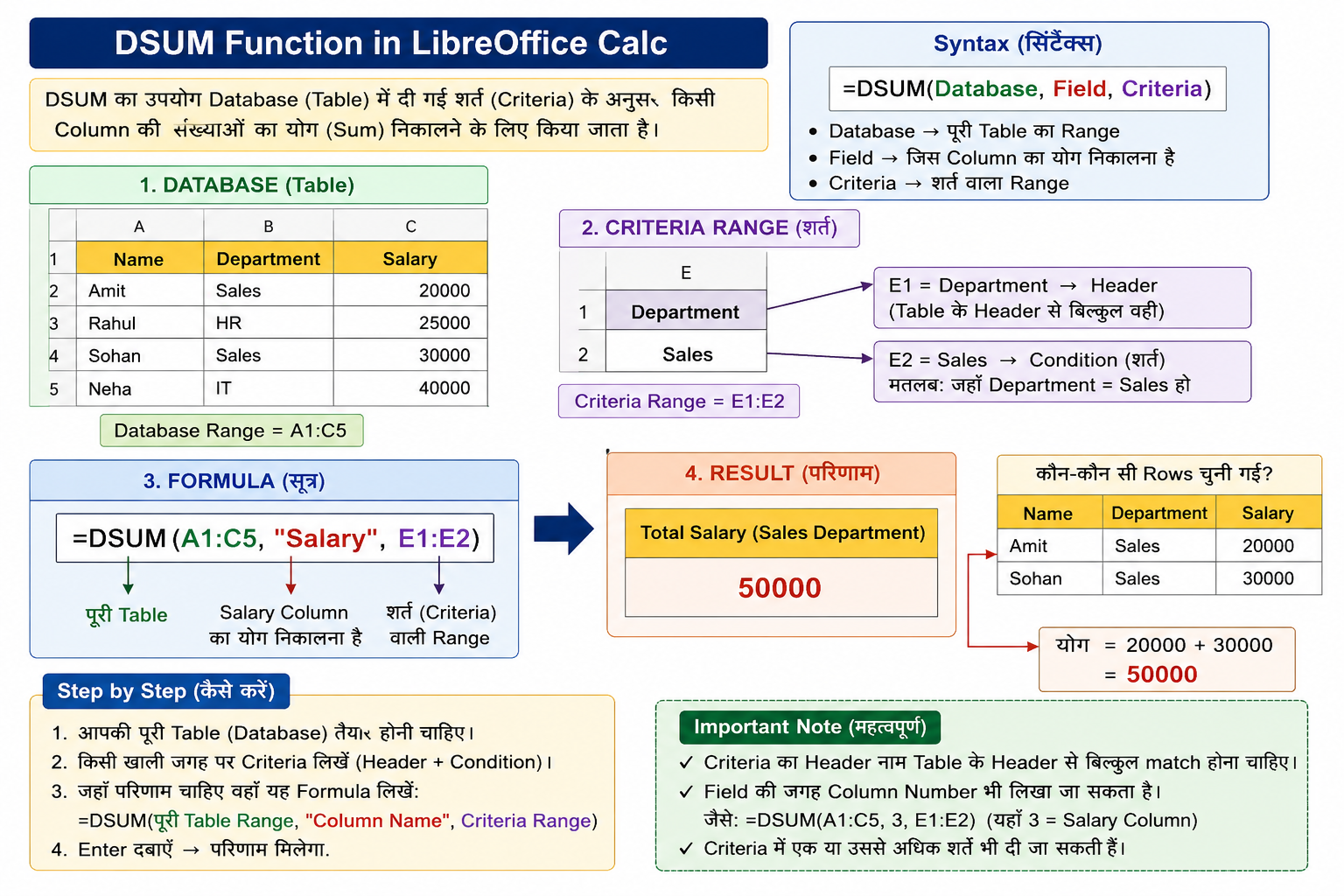
DSUM शर्त के अनुसार संख्याओं का योग (Sum) करता है।
English -DSUM returns the sum of values that satisfy a condition.
Syntax-
=DSUM(Database, "Field", Criteria)
Example-
=DSUM(A1:C4, "Salary", E1:E2)
Result -Sales विभाग का कुल वेतन = 50000
DMIN शर्त के अनुसार सबसे छोटा मान देता है।
English -DMIN returns the smallest value that matches the condition.
Syntax -20000
3. DMAX Function:-DMAX शर्त के अनुसार सबसे बड़ा मान देता है।
English-DMAX returns the largest value that matches the condition.
Syntax-30000
4. DCOUNT Function :-DCOUNT शर्त के अनुसार केवल Numeric records की गिनती करता है।
English -DCOUNT counts only numeric records that satisfy the condition.
Syntax -2
5. DCOUNTA Function :-DCOUNTA शर्त के अनुसार खाली न होने वाले (Non-empty) records की गिनती करता है।
English -DCOUNTA counts non-empty records that satisfy the condition.
Syntax -2