Transform Tools (ट्रांसफॉर्म टूल्स)
Hindi:
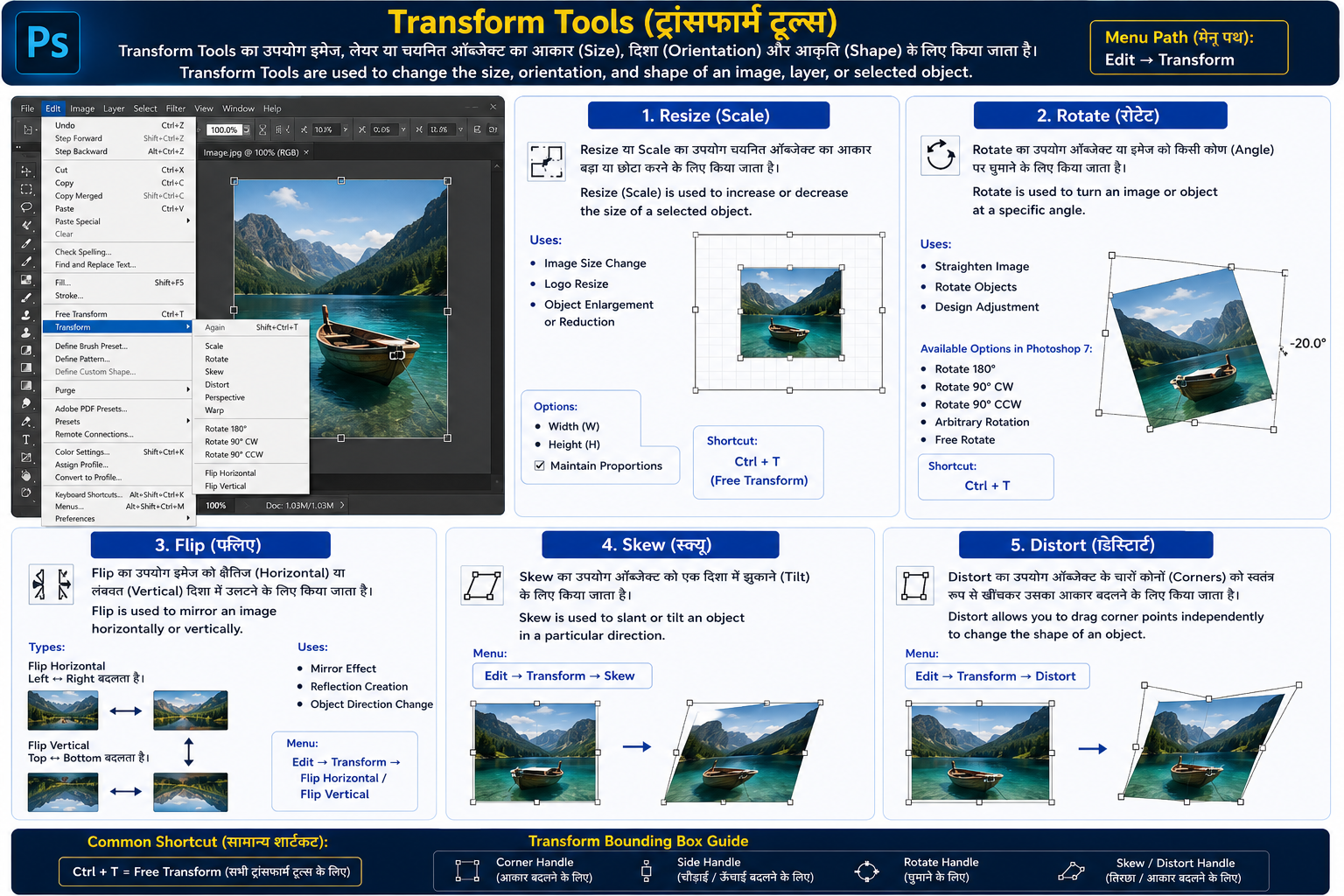
Transform Tools का उपयोग इमेज, लेयर या चयनित ऑब्जेक्ट का आकार (Size), दिशा (Orientation) और आकृति (Shape) बदलने के लिए किया जाता है।
English:
Transform Tools are used to change the size, orientation, and shape of an image, layer, or selected object.
Menu Path:
Edit → Transform
1. Resize (Scale) Hindi:
Resize या Scale का उपयोग चयनित ऑब्जेक्ट का आकार बड़ा या छोटा करने के लिए किया जाता है।
English:
Resize (Scale) is used to increase or decrease the size of a selected object.
Uses:
- Image Size Change
- Logo Resize
- Object Enlargement or Reduction
Options:
- Width (W)
- Height (H)
- Maintain Proportions
Shortcut:
Ctrl + T (Free Transform)
2. Rotate (रोटेट) Hindi:
Rotate का उपयोग ऑब्जेक्ट या इमेज को किसी कोण (Angle) पर घुमाने के लिए किया जाता है।
English:
Rotate is used to turn an image or object at a specific angle.
Uses:
- Straighten Image
- Rotate Objects
- Design Adjustment
Available Options in Photoshop 7:
- Rotate 180°
- Rotate 90° CW
- Rotate 90° CCW
- Arbitrary Rotation
- Free Rotate
Shortcut:
Ctrl + T
3. Flip (फ्लिप) Hindi:
Flip का उपयोग इमेज को क्षैतिज (Horizontal) या लंबवत (Vertical) दिशा में उलटने के लिए किया जाता है।
English:
Flip is used to mirror an image horizontally or vertically.
Types: Flip Horizontal
- Left ↔ Right बदलता है।
Flip Vertical
- Top ↔ Bottom बदलता है।
Uses:
- Mirror Effect
- Reflection Creation
- Object Direction Change
Menu:
Edit → Transform → Flip Horizontal / Flip Vertical
4. Skew (स्क्यू) Hindi:
Skew का उपयोग ऑब्जेक्ट को एक दिशा में झुकाने (Tilt) के लिए किया जाता है।
English:
Skew is used to slant or tilt an object in a particular direction.
Menu:
Edit → Transform → Skew
5. Distort (डिस्टॉर्ट) Hindi:
Distort का उपयोग ऑब्जेक्ट के चारों कोनों (Corners) को स्वतंत्र रूप से खींचकर उसका आकार बदलने के लिए किया जाता है।
English:
Distort allows you to drag corner points independently to change the shape of an object.
Menu:
Edit → Transform → Distort