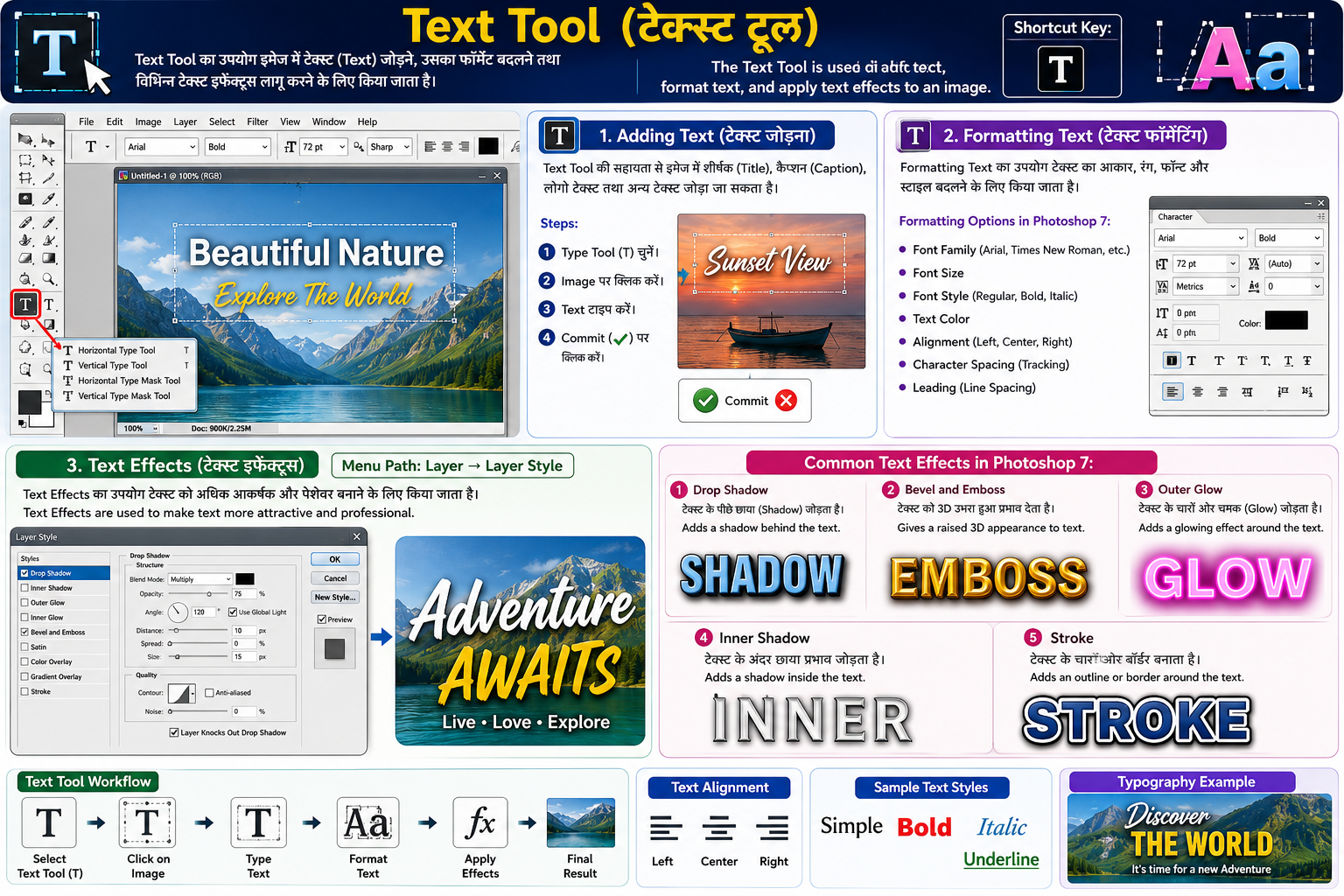
Text Tool (टेक्स्ट टूल)
Hindi:
Text Tool का उपयोग इमेज में टेक्स्ट (Text) जोड़ने, उसका फॉर्मेट बदलने तथा विभिन्न टेक्स्ट इफेक्ट्स लागू करने के लिए किया जाता है।
English:
The Text Tool is used to add text, format text, and apply text effects to an image.
Shortcut Key:
T
1. Adding Text (टेक्स्ट जोड़ना) Hindi:
Text Tool की सहायता से इमेज में शीर्षक (Title), कैप्शन (Caption), लोगो टेक्स्ट तथा अन्य टेक्स्ट जोड़ा जा सकता है।
Steps:
- Type Tool (T) चुनें।
- Image पर क्लिक करें।
- Text टाइप करें।
- Commit (✓) पर क्लिक करें।
English:
The Text Tool allows users to add titles, captions, logos, and other text to an image.
2. Formatting Text (टेक्स्ट फॉर्मेटिंग) Hindi:
Formatting Text का उपयोग टेक्स्ट का आकार, रंग, फॉन्ट और स्टाइल बदलने के लिए किया जाता है।
English:
Text formatting is used to change the font, size, color, and style of text.
Formatting Options in Photoshop 7:
- Font Family (Arial, Times New Roman, etc.)
- Font Size
- Font Style (Regular, Bold, Italic)
- Text Color
- Alignment (Left, Center, Right)
- Character Spacing (Tracking)
- Leading (Line Spacing)
3. Text Effects (टेक्स्ट इफेक्ट्स) Menu:
Layer → Layer Style
Hindi:
Text Effects का उपयोग टेक्स्ट को अधिक आकर्षक और पेशेवर बनाने के लिए किया जाता है।
English:
Text Effects are used to make text more attractive and professional.
Common Text Effects in Photoshop 7: 1. Drop Shadow
Hindi: टेक्स्ट के पीछे छाया (Shadow) जोड़ता है।
English: Adds a shadow behind the text.
2. Bevel and Emboss
Hindi: टेक्स्ट को 3D उभरा हुआ प्रभाव देता है।
English: Gives a raised 3D appearance to text.
3. Outer Glow
Hindi: टेक्स्ट के चारों ओर चमक (Glow) जोड़ता है।
English: Adds a glowing effect around the text.
4. Inner Shadow
Hindi: टेक्स्ट के अंदर छाया प्रभाव जोड़ता है।
English: Adds a shadow inside the text.
5. Stroke
Hindi: टेक्स्ट के चारों ओर बॉर्डर बनाता है।
English: Adds an outline or border around the text.