Working of Websites:-
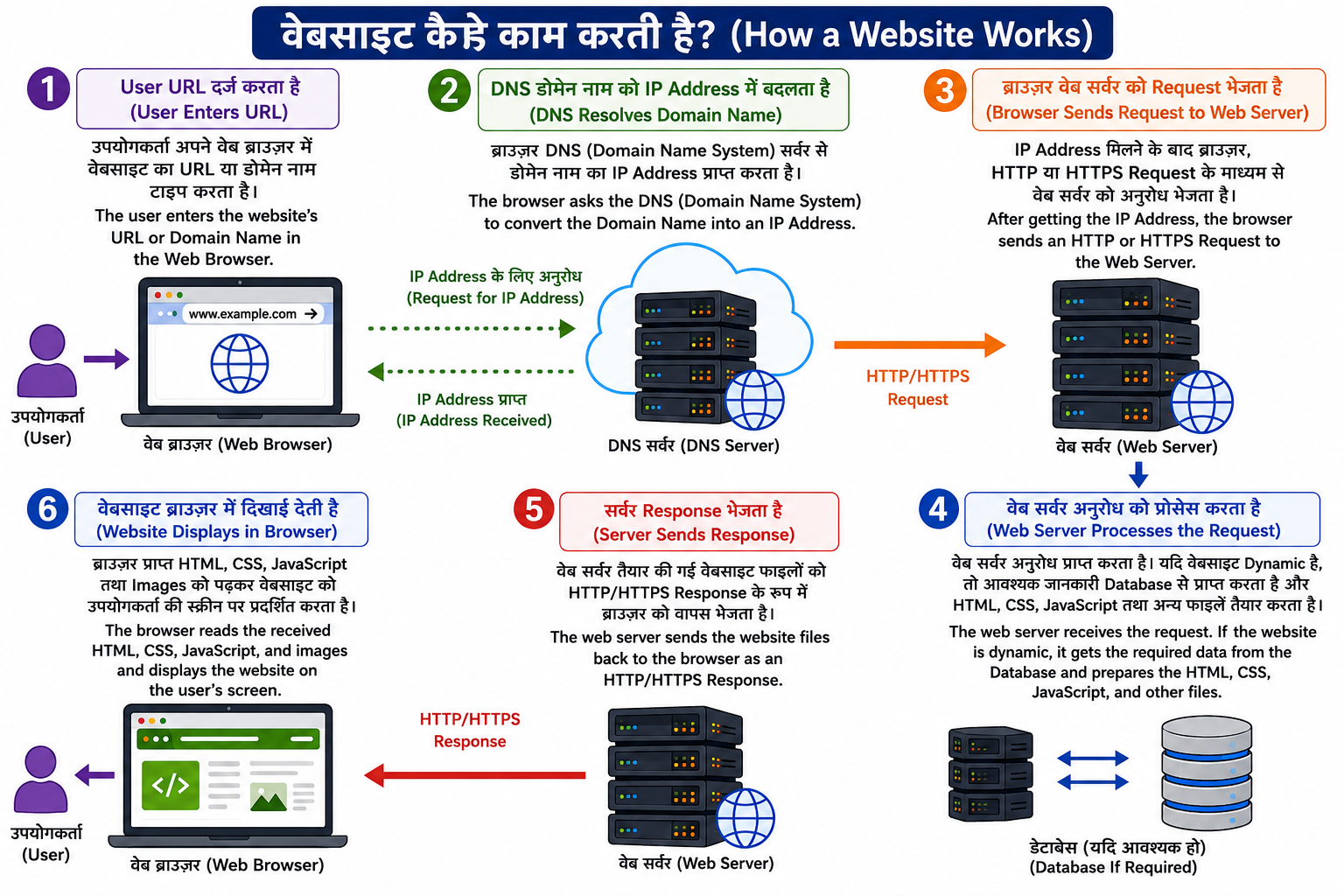
हिंदी
जब कोई उपयोगकर्ता (User) किसी वेबसाइट का Domain Name (डोमेन नाम) अपने Web Browser (वेब ब्राउज़र) में टाइप करता है, तो वेबसाइट तुरंत दिखाई नहीं देती। इसके पीछे कई प्रक्रियाएँ (Processes) होती हैं, जैसे DNS द्वारा IP Address प्राप्त करना, Web Server से संपर्क करना, HTTP/HTTPS Request भेजना तथा Web Server द्वारा Response भेजना। इन सभी चरणों के पूरा होने के बाद वेबसाइट उपयोगकर्ता की स्क्रीन पर दिखाई देती है।
English
When a user enters a website's Domain Name in a Web Browser, the website does not appear instantly. Several processes take place in the background, such as DNS resolving the domain name into an IP Address, the browser contacting the Web Server, sending an HTTP/HTTPS request, and receiving an HTTP/HTTPS response. After these steps are completed, the web page is displayed on the user's screen.
Working of a Website (वेबसाइट की कार्यप्रणाली) चरण 1: User URL दर्ज करता है (User Enters the URL) हिंदी
उपयोगकर्ता अपने Web Browser (जैसे Chrome, Edge, Firefox) में वेबसाइट का URL या Domain Name (जैसे www.google.com) टाइप करता है।
English
The user enters the website's URL or Domain Name (such as www.google.com) into a Web Browser.
चरण 2: DNS Domain Name को IP Address में बदलता है हिंदी
Browser, DNS (Domain Name System) से वेबसाइट का IP Address प्राप्त करता है क्योंकि इंटरनेट पर सभी सर्वर IP Address के माध्यम से पहचाने जाते हैं।
English
The browser asks the DNS (Domain Name System) to convert the Domain Name into an IP Address, because computers communicate using IP addresses.
चरण 3: Browser Web Server को Request भेजता है हिंदी
IP Address मिलने के बाद Browser, HTTP या HTTPS Request के माध्यम से Web Server को वेबसाइट की जानकारी भेजने का अनुरोध करता है।
English
After getting the IP Address, the browser sends an HTTP or HTTPS Request to the Web Server asking for the requested web page.
चरण 4: Web Server Request को Process करता है हिंदी
Web Server अनुरोध (Request) प्राप्त करता है। यदि वेबसाइट Dynamic है, तो Server आवश्यक जानकारी Database से प्राप्त करता है। इसके बाद HTML, CSS, JavaScript तथा अन्य Files तैयार करता है।
English
The Web Server receives the request. If the website is dynamic, it retrieves the required data from the Database and prepares the HTML, CSS, JavaScript, and other files.
चरण 5: Server Response भेजता है हिंदी
Web Server तैयार की गई Website Files को HTTP/HTTPS Response के रूप में Browser को वापस भेजता है।
English
The Web Server sends the website files back to the browser as an HTTP/HTTPS Response.
चरण 6: Website Browser में दिखाई देती है हिंदी
Browser प्राप्त HTML, CSS, JavaScript तथा Images को पढ़कर वेबसाइट को उपयोगकर्ता की स्क्रीन पर प्रदर्शित करता है।
English
The browser reads the received HTML, CSS, JavaScript, and images and displays the website on the user's screen.