Running an Application (एप्लिकेशन कैसे चलाएँ?)
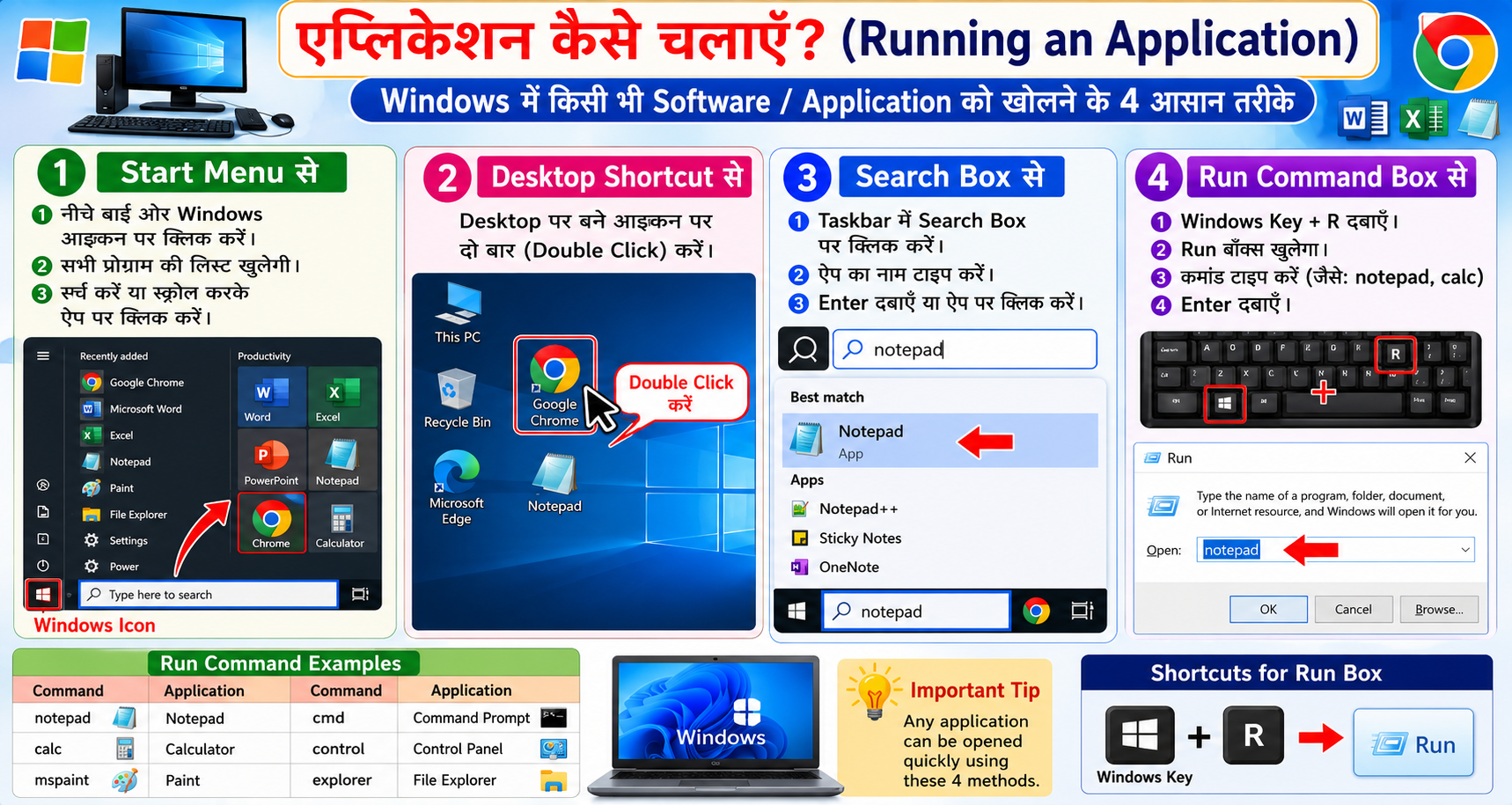
Windows कंप्यूटर में किसी भी सॉफ्टवेयर या एप्लिकेशन को खोलने (Run/Open) के 4 मुख्य आसान तरीके हैं। इन तरीकों से आप तेजी से काम कर सकते हैं।
- Start Menu से: नीचे बाईं ओर Windows आइकन पर क्लिक करें। सभी प्रोग्राम की लिस्ट खुलेगी। ऊपर सर्च भी कर सकते हैं या नीचे स्क्रोल करके ऐप पर क्लिक करें।
- Desktop Shortcut से: डेस्कटॉप पर बने आइकन पर दो बार (Double Click) क्लिक करें।
- Search Box से: टास्कबार में सर्च बार पर क्लिक करें, ऐप का नाम टाइप करें (जैसे Chrome, Notepad) और Enter दबाएं।
- Run Command Box से: कीबोर्ड से Windows Key + R दबाएं। Run डायलॉग बॉक्स खुलेगा। उसमें कमांड टाइप करें (जैसे: notepad, calc, mspaint, cmd) और Enter दबाएं।
English Explanation: There are 4 main easy ways to open any software or application (Run/Open) in Windows computer. With these methods you can work faster.
- From Start Menu: Click the Windows icon on the bottom left. All programs list will open. You can search from the top or scroll down and click on the app.
- From Desktop Shortcut: Double-click on the icon created on the desktop.
- From Search Box: Click on the search bar in the taskbar, type the app name (like Chrome, Notepad) and press Enter.
- From Run Command Box: Press Windows Key + R from keyboard. Run dialog box will open. Type the command (like: notepad, calc, mspaint, cmd) and press Enter.
Suitable Image: Steps to open apps via Start, Search, and Run.